> Source URL: /index.path
---
title: PathMX
theme:
mode: dark
---
[@styles]: ./styles.css
[@message]: ./tags/pathmx.tags.md
[@layout]: ./tags/layout.tags.md
[@map]: ./index.map.md
PathMX Paths Markdown eXtension
PathMX is a modern markdown-first framework for building knowledge-oriented websites. It is currently under active development and requires some moderate technical ability to use.
What you can do with PathMX:
- Author rich, interactive knowledge sites entirely in markdown
- Build custom components and interactions
- Create personalized learning paths through linked content
- Ship production-ready sites that are portable, agent-friendly, and future-proof
PathMX is both a methodology and a development framework. The methodology can be used without special tooling on any operating system.
Let's start with the methodology.
---
# PathMX Methodology
There are three core principles to the PathMX methodology:
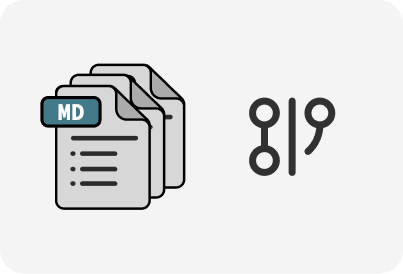
## Principle 1: Markdown-first
Markdown is the lingua franca of modern human and agent interactions. It is a well-established, stable and portable format for authoring human-and-agent readable plain text documents with hyperlink support.
---
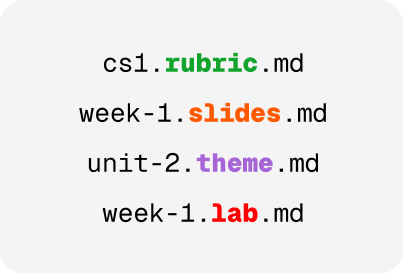
## Principle 2: Explicit file types
Type hints allow you to indicate the role of a file in the name of the file. This pattern allows agents and humans to quickly intuit the purpose of a file without having to read the contents. This is especially important in modern agentic harnesses since agents naturally look at file paths to search for relevant patterns and context.
---
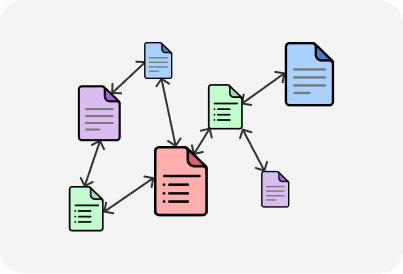
## Principle 3: Hyperlinked paths
Links between documents create a natural knowledge graph and allow for creating paths through it. A large knowledge graph may have many different paths depending on where the user is coming from or entering the space.
To read a more in-depth exploration of the PathMX methodology, please read the paper below:
[button:: Read the paper](./files/pathmx-paper.pdf) or [view the slides](./CCSCNE/paper-presentation.slides.md?play=1)
## Getting Started
- [Choosing an Agent](./guides/agents.guide.md) -- what coding agents are and which ones work with PathMX
- [CS1 Quickstart](./guides/cs1-quickstart.guide.md) -- clone the starter repo and adapt it for your course
---
# The PathMX Development Framework (Early Beta)
The PathMX Development Framework is a modern markdown-first framework for building knowledge-oriented websites. It is currently under active development and requires some moderate technical ability to use.
The primary deployment interface is the [PathMX Player](./pathmx-player.guide.md), this is the interface you are using right now! If you are interested in using, or contributing to the PathMX Development Framework, please contact [Mark Johnson](mailto:mark@fellowhumans.com).
---
# Examples and Demos
- [CCSCNE 2026 Path](./demos/conf-path/index.path.md)
## Custom Tags
- [Bookshelf Demo](demos/bookshelf.demo.md)
- [Pomodoro Timers](demos/pomodoro.tags.md)
- [Flashcards](demos/flashcards.demo.md)
---
Examples and tutorials coming soon!
[install.sh]: ./install.sh